Geometric Search
With geometric search, applications can use Physna API to find parts that share geometry or have similar geometry to given part. This features can used to detect duplicate designs, discover alternative components or otherwise organize design inventory.
Concepts
Models
Models are used to describe any object that has associated 3D data. Models are grouped into folders and can be single CAD parts, CAD assemblies, 3D scan and any other type of 3D object representation.
For a detailed guide on adding models to the system please see our guide on model ingestion.
Matches
Physna detects relationships between models on the basis of geometry. A match is an instance of such a relationship. All models in can have one or more such matches. Physna has several types of matching, optimized for various use cases.
| Match Type | Description |
|---|---|
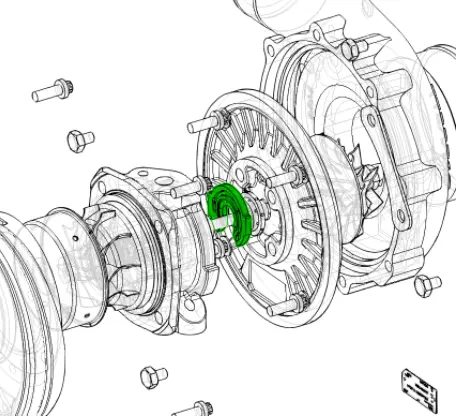 | Indicates that the two models have a “part-in-part” relationship. One model geometry is contained within the other. |
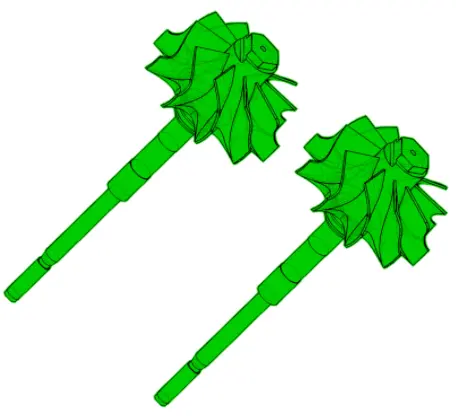 | A blend of precise geometric markers with whole-part characteristics. Detects similar models, that may share features. |
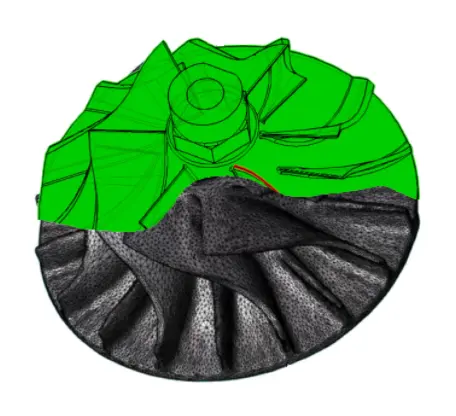 | Considers broad geometric properties. Finds models that are similar in overall dimensionality, aspect ratios or topology. |
Quick Start
Upload Models
To explore this feature some models need to be uploaded into Physna. Depending on the type of match being used. Models with the following relationships are ideal for trying out match endpoints:
- Variants, for example revisions.
- Functional duplicates or otherwise very similar geometry.
- Broadly similar in shape.
- Scans vs CAD models.
If needed, create a new folder.
POST /v2/folders(technical specs)
Upload the desired models using the correct folderId.
Uploading requires several steps - creating the metadata and then using a signed URL to send the file.
POST /v2/modelsto create the metadata and generate a model id (technical specs)- Use the returned signed URL to upload the model to Physna, e.g.,
curl -X POST '<signed URL>' ...- Note that the signed URL
POSTrequest requires several headers to be included. See out guide on model ingestion
- Note that the signed URL
Ensure that all models have finished processing, using the model lookup endpoint.
GET /v2/models/{id}with the model id created earlier (technical specs)state: finishedindicates that processing has finished and that the model is ready to use
Matching
Match Endpoints
Matches can be retrieved with get requests to the appropriate match endpoints.
- Part In Part Matches:
/v2/models/{id}/part-in-part-matches(technical specs)forwardMatchPercentageis the percentage of the query model that is found in the match.reverseMatchPercentageis the percentage of the query model that is found in the match.
- Part To Part Matches:
/v2/models/{id}/part-to-part-matches(technical specs)matchPercentageis the overall similarity
- Geo Related Matches:
/v2/models/{id}/geo-related-matches(technical specs)matchPercentageis the overall similarity
Collection Metadata
The match endpoint response has the following additional information:
- Pagination and match count
- Data object for each matched model
- Match percentage scores
Parameters and Filtering
Each match endpoint can receive additional parameters (see endpoint specs for details):
thresholdfloat (0-100) minimum percentage match- pagination parameters to define the number of results and the pagination offset
- filtering expressions to filter match result by metadata
- ordering expressions to sort match results